Line-by-Line Instructions
IRS Form SS-4 Instructions: How to Fill Out Every Field (2026)
Step-by-step instructions for all 18 fields on IRS Form SS-4. Covers LLCs, trusts, estates, non-profits, and non-residents filing by fax to 855-215-1627.
Who Needs to File Form SS-4?
Form SS-4 is the only way for non-US residents without an SSN or ITIN to apply for an EIN, since the IRS online application requires one of those numbers. Over 400,000 fax-based SS-4 forms are processed by the IRS each year. The form itself is straightforward, but certain lines cause confusion -- especially for non-resident applicants and first-time business owners. This guide eliminates that confusion by explaining every field in plain language.
Filing Options and Costs
If you prefer to skip the paperwork entirely, ein.so handles the entire SS-4 filing process for $49 (Standard, 14 business days) or $97 (Express, 7 business days). We complete the form, fax it to the IRS, and deliver your EIN by email. For those who want to do it themselves, read on for the complete line-by-line breakdown. You can also review our broader How to Get an EIN guide for all three application methods.
SS-4 Filing Method Comparison
| Factor | Fax (855-215-1627) | Phone (267-941-1099) | Mail (Cincinnati, OH) |
|---|---|---|---|
| Processing Time | 4-7 business days | Same day (if connected) | 4-6 weeks |
| SSN Required? | No | No | No |
| Cost (DIY) | Free + fax fees | Free + intl call fees | Free + postage |
| Cost (ein.so) | $49 Standard / $97 Express | N/A | N/A |
| Availability | 24/7 | Mon-Fri, 6 AM - 11 PM ET | 24/7 |
| Hold Times | None | 30-120 minutes typical | None |
| Best For | Non-residents without SSN | Urgent same-day needs | Not recommended |
SS-4 Line-by-Line Quick Reference
| Line | Field Name | What to Enter | Non-Resident Tip |
|---|---|---|---|
| 1 | Legal Name of Entity | Exact name from Articles of Organization/Incorporation | Use name on state filing, not passport name |
| 2 | Trade Name / DBA | Business operating name if different from Line 1 | Leave blank if no DBA registered |
| 3 | Executor/Trustee Name | Name of executor (estate) or trustee (trust) | Leave blank for LLCs/corps |
| 4a-4b | Mailing Address | Street, city, state, ZIP for IRS correspondence | Foreign addresses accepted; include country |
| 5a-5b | Street Address (if different) | Physical business location | Leave blank if no US office |
| 6 | County and State | County and state of principal business | Use registered agent state (e.g., Wyoming) |
| 7a | Responsible Party Name | Full legal name of individual who controls entity | Must match passport exactly |
| 7b | SSN/ITIN of Responsible Party | 9-digit SSN or ITIN | Write "N/A" or "Foreign"; attach passport copy |
| 8a | Type of Entity | Check one box: LLC, Corporation, Partnership, etc. | Match your state formation type |
| 8b | Number of LLC Members | Enter "1" for single-member; total for multi-member | Required only for LLCs |
| 8c | State/Country of LLC Organization | State or foreign country where LLC was formed | Enter US state (e.g., "Wyoming") even if you live abroad |
| 9a | Reason for Applying | Check: Started new business, Banking purpose, etc. | "Started new business" is the most common choice |
| 10 | Date Business Started | MM/DD/YYYY of state registration | Use date on Articles of Organization |
| 11 | Closing Month of Accounting Year | Enter "December" (standard for 95%+ of businesses) | Always use December unless advised otherwise |
| 12-13 | Wages and Employees | First wage date; expected employee count (enter "0" if none) | Write "N/A" for Line 12 if no employees |
| 14-15 | Principal Activity | Check activity category; describe business in 1 sentence | Be specific: "online retail sales" not "business" |
| 16-17 | Previous EIN Application | Check "No" for new entities; enter prior EIN if "Yes" | Refers to the entity, not you personally |
| 18 | Third-Party Designee | Name, address, fax of authorized recipient | Check "Yes" if using ein.so; "No" if filing yourself |
| Signature | Sign, Date, Title, Phone | Responsible party signs; title = Member, President, etc. | Include international phone with country code |
Lines 1-3
What Do You Enter on Lines 1-3 of Form SS-4?
Line 1: Legal Name of Entity
Line 1 -- Legal Name of Entity: Enter the exact legal name of your business as registered with your state. For an LLC, this is the name on your Articles of Organization (for example, "Acme Trading LLC"). For a corporation, it is the name on your Articles of Incorporation. For a sole proprietor, enter your full legal name as it appears on your passport or government ID.
Line 2: Trade Name / DBA
Line 2 -- Trade Name / DBA: If your business operates under a different name than your legal name, enter it here. For example, if your LLC is "Acme Trading LLC" but you do business as "Acme Goods," enter "Acme Goods" on Line 2. If you do not have a trade name, leave this line blank.
Line 3: Executor or Trustee Name
Line 3 -- Executor/Trustee Name: This line is only for estates and trusts. If you are applying for an EIN for an estate, enter the executor's or administrator's name. For a trust, enter the trustee's name. For all other entity types (LLCs, corporations, sole proprietors, partnerships), leave Line 3 blank.
Lines 4-6
What Do You Enter on Lines 4-6 of Form SS-4?
Lines 4a-4b: Mailing Address
Lines 4a-4b -- Mailing Address: Enter the address where you want the IRS to send correspondence. This can be a US address or a foreign address. Non-residents can use their home address abroad -- the IRS accepts international addresses on Form SS-4. Include your street address, city, state/province, country, and postal code.
Lines 5a-5b: Street Address
Lines 5a-5b -- Street Address (if different): If your physical business location is different from your mailing address, enter it here. If your business does not have a separate physical location (common for non-residents and online businesses), leave Lines 5a-5b blank. The IRS will use the mailing address from Lines 4a-4b.
Line 6: County and State
Line 6 -- County and State: Enter the county and state where your principal business is located. Non-residents who do not have a US business location can enter the state where their registered agent is located or the state where their LLC/corporation is registered. For example, if you formed a Wyoming LLC, enter "Wyoming" on Line 6.
Lines 7a-7b
What Do You Enter on Lines 7a-7b of Form SS-4?
Line 7a: Responsible Party Name
Line 7a -- Name of Responsible Party: The IRS requires every EIN application to identify a "responsible party" -- an individual (not an entity) who controls, manages, or directs the entity and the disposition of its funds and assets. For a single-member LLC, this is the sole member. For a corporation, it is the president or CEO. For a partnership, it is a managing partner.
Line 7b: SSN, ITIN, or EIN
Line 7b -- SSN, ITIN, or EIN of Responsible Party: This is the line that causes the most confusion for non-residents. If you have an SSN or ITIN, enter it here. If you are a non-resident without either number, write "N/A" or "Foreign" on this line. The IRS will still process your application -- this is one of the key advantages of the fax method over the online application, which requires a valid SSN or ITIN.
Non-residents should attach a copy of their passport to the faxed SS-4 form to help the IRS verify the responsible party's identity. While not strictly required, including a passport copy reduces the chance of delays or additional follow-up requests from the IRS. For more on how non-residents navigate this process, see our EIN Without SSN guide.
Lines 8a-8c
What Do You Enter on Lines 8a-8c of Form SS-4?
Line 8a -- Type of Entity: Check the box that matches your entity type. The options include: Sole Proprietor, Partnership, Corporation (including S-Corp election), Personal Service Corp, Church or Church-Controlled Organization, Other Nonprofit Organization, Trust, Estate, Plan Administrator, and Limited Liability Company. Only check one box.
Line 8b -- Number of LLC Members: If you checked "Limited Liability Company" on Line 8a, you must enter the number of members in your LLC. A single-member LLC enters "1." A multi-member LLC enters the total number of members. This information determines how the IRS classifies your LLC for tax purposes -- single-member LLCs are disregarded entities by default, while multi-member LLCs are treated as partnerships.
Line 8c -- State/Foreign Country (for LLC): If you are an LLC, enter the state or foreign country where your LLC was organized. For example, "Wyoming" or "Delaware." If you formed your LLC in a foreign country, enter the country name. This line helps the IRS identify which state's LLC laws govern your entity.
Lines 9-10
What Do You Enter on Lines 9-10 of Form SS-4?
Line 9a -- Reason for Applying: Check the box that best describes why you are applying for an EIN. The most common reasons are "Started new business" (for newly formed entities), "Hired employees" (if you already have a business and are adding your first employee), and "Banking purpose only" (for entities that need an EIN solely to open a bank account). Choose the most accurate option for your situation.
Line 9b -- Type of Entity (if "Other"): If you checked "Other" on Line 9a, specify the reason here. Common entries include "Compliance with IRS withholding regulations" and "Required to have an EIN for payment processing." Most applicants will not need to use this line.
Line 10 -- Date Business Started: Enter the date your business began or was acquired. For newly formed entities, this is the date your LLC or corporation was officially registered with the state. If you are applying for an EIN before your business officially starts, enter the expected start date. Use the MM/DD/YYYY format.
Lines 11-17
What Do You Enter on Lines 11-17 of Form SS-4?
Line 11 -- Closing Month of Accounting Year: Most businesses use December (12) as their fiscal year-end. Enter "December" unless your business uses a different fiscal year. If you are unsure, use December -- it is the standard choice and simplifies tax filing.
Line 12 -- First Date Wages Paid: If you have employees or plan to hire them, enter the date you first paid (or expect to pay) wages. If you do not have and do not plan to hire employees, write "N/A." Line 13 -- Highest Number of Employees Expected: Enter the maximum number of employees you expect to have in the next 12 months across three categories: agricultural, household, and other. If you do not plan to hire employees, enter "0" in all categories.
Line 14 -- Check One Box for Principal Activity: Select the category that best describes your business: construction, real estate, manufacturing, transportation, finance, health care, accommodation/food, wholesale, retail, or other. Line 15 -- Describe Principal Business: Write a brief description of what your business does, such as "online retail sales" or "software development consulting."
Line 16 -- Has the applicant ever applied for an EIN before?: Check "Yes" if this entity (not you personally) has previously applied for an EIN. If you are applying for a brand-new entity, check "No." Line 17 -- Previous EIN: If you checked "Yes" on Line 16, enter the previous EIN here. Otherwise, leave it blank.
Line 18 & Signature
What Do You Enter on Line 18 and the Signature Section of Form SS-4?
Line 18: Third-Party Designee
Line 18 -- Third-Party Designee: If you want to authorize someone else to receive your EIN on your behalf, check "Yes" and fill in the designee's name, address, telephone number, and fax number. This is the line that allows services like ein.so to file on your behalf and receive the EIN directly from the IRS. If you are filing the form yourself, check "No" and provide your own fax number so the IRS can return your EIN to you.
Signature and Date
Signature Section: The responsible party named on Line 7a (or an authorized delegate) must sign and date the form. Print the signer's name and title below the signature. The title should match your role in the entity -- "Member" for an LLC, "President" for a corporation, "General Partner" for a partnership, "Trustee" for a trust, or "Executor" for an estate. Include a daytime phone number and fax number.
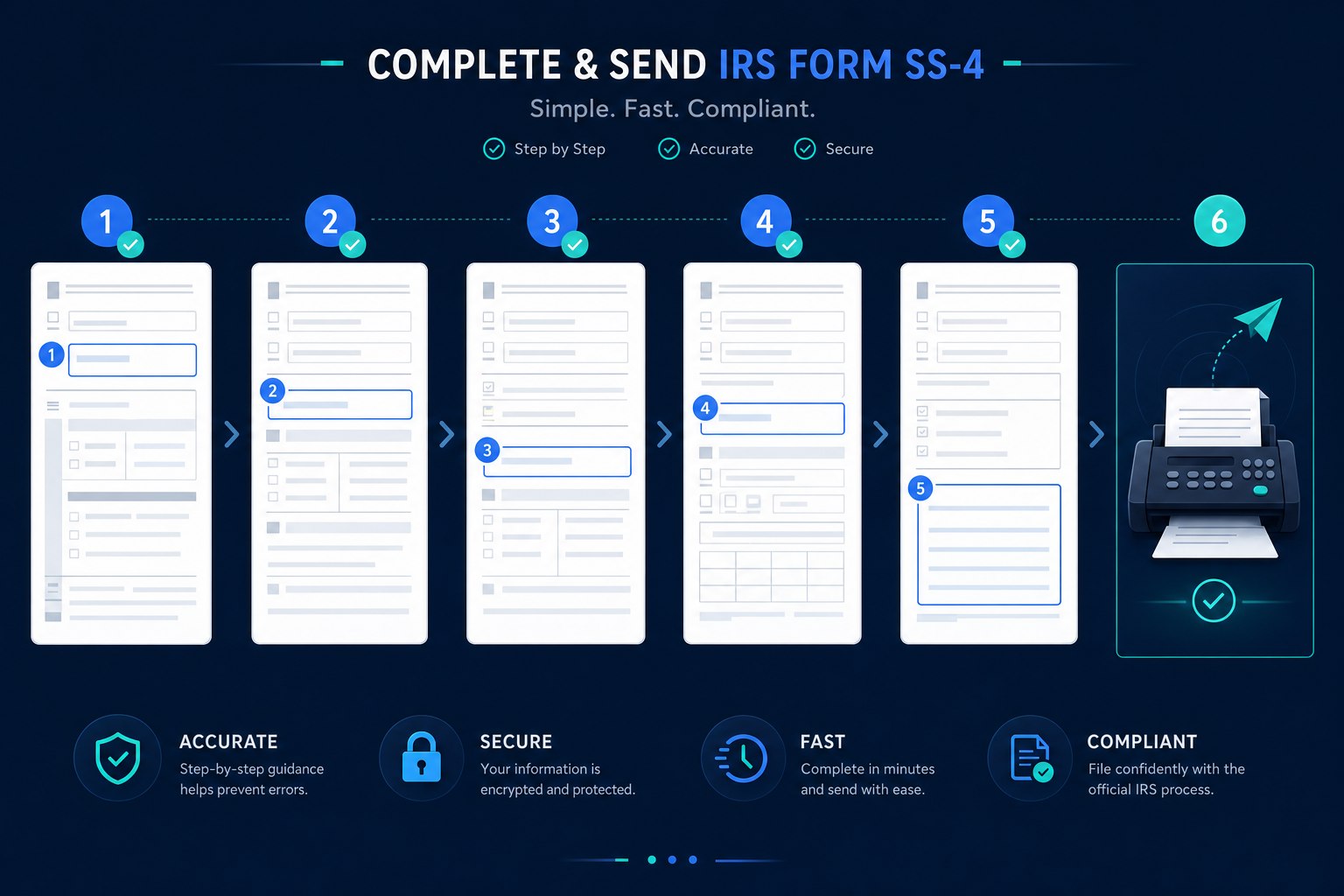
After signing, fax the completed form to the IRS at 855-215-1627. Keep a copy for your records. The IRS will fax your EIN confirmation back to the fax number you provided. Processing takes 4-7 business days. If your application is rejected, see our EIN Rejection Guide for how to fix common errors and reapply. Non-residents without an SSN can learn more about the fax process in our dedicated EIN Without SSN guide. If you do not want to handle the fax process yourself, ein.so files your SS-4 for $49 (Standard) or $97 (Express). For details on the overall EIN application process, see our How to Get an EIN guide or our dedicated EIN Processing Time page.
Frequently Asked Questions
Where do I download IRS Form SS-4?
You can download Form SS-4 for free from the IRS website at irs.gov/forms-pubs/about-form-ss-4. The form is a single page (with two pages of instructions). Make sure you are using the most current version of the form -- the IRS updates it periodically.
Can I fill out Form SS-4 electronically or do I need to print it?
You can fill out the PDF version of Form SS-4 on your computer using any PDF reader, then print it for faxing. The IRS also accepts handwritten forms, but typed forms are less likely to have errors or be misread by IRS staff. Do not submit the form by email -- the IRS only accepts fax or mail submissions for SS-4.
What do I put on Line 7b if I do not have an SSN or ITIN?
If you are a non-resident without an SSN or ITIN, write 'N/A' or 'Foreign' on Line 7b. The IRS accepts SS-4 applications from individuals who do not have a US tax identification number. This is one of the main reasons the fax method exists -- the online application requires an SSN or ITIN, but the paper form does not.
What fax number do I send Form SS-4 to?
Fax your completed Form SS-4 to the IRS at 855-215-1627. This is the dedicated fax line for EIN applications. The IRS processes faxed SS-4 forms within 4-7 business days and returns your EIN by fax to the number you provide on the form.
What happens if I make a mistake on Form SS-4?
If the IRS finds an error on your Form SS-4, they will either reject the application and send a notice explaining the issue, or they may attempt to contact you for clarification. Common errors include mismatched names, incorrect entity types, and missing information. If your application is rejected, correct the errors and resubmit by fax.
Do I need to attach any documents to Form SS-4?
For most applicants, no additional documents are required with Form SS-4. However, non-residents who do not have an SSN or ITIN should include a copy of their passport or other government-issued ID to help verify their identity. Third-party designees should include a signed authorization from the applicant.
Can a third party file Form SS-4 on my behalf?
Yes. You can authorize a third-party designee to receive your EIN by completing Line 18 of Form SS-4. The designee's name, address, phone number, and fax number go on this line. Services like ein.so act as your third-party designee, filing the form and receiving the EIN on your behalf for $49 (Standard) or $97 (Express).
How long does it take to get an EIN after faxing Form SS-4?
The IRS processes faxed SS-4 forms within 4-7 business days. During peak periods (January through April), processing may take slightly longer. The IRS returns your EIN by fax to the number provided on the form. ein.so's Express service ($97) includes priority handling with 7 business day turnaround.
What is the difference between Form SS-4 and Form W-7?
Form SS-4 applies for an EIN (Employer Identification Number), a 9-digit tax ID for businesses, trusts, and estates. Form W-7 applies for an ITIN (Individual Taxpayer Identification Number), a 9-digit tax ID for individuals who cannot get an SSN. Businesses use SS-4. Individuals use W-7. They serve different purposes and are filed separately.
Which entity type do I select on Line 9a of Form SS-4?
Line 9a asks why you are applying for an EIN. The most common selection is 'Started new business' for newly formed LLCs and corporations. Select 'Banking purposes only' if your entity already exists but needs an EIN for a bank account. Select 'Changed type of organization' if converting entity types. Do not confuse Line 9a (reason) with Line 8a (entity type).